
2007-03-05(Mon) [長年日記]
■1 tDiaryでRuby(やYAML、XML)のコードに色をつける
思い出すのに時間がかかっちゃいました。基本的には、かずひこさんの日記を読んで、 syntaxを導入。rubyとyamlとxmlに色を付けられます。私の環境ではhikidoc.rbに要パッチ。CSSを適用させるために簡単なプラグインも書きました。
手順としては以下のような流れだった模様:
- syntaxをインストール
- syntaxライブラリをtDiaryに配置
- (hikidoc.rbにパッチを適用)
- 色付け用のcssファイルを用意してサーバに配置
- syntax_stylesheets.rbプラグインを用意
- 色を付けたいコードをsuper preっぽく書く
以下、順番に説明します。
1. syntaxをインストール
どうやら私はgemでローカルにインストールしたらしい。たぶん、後述の色付け用のcssを使いたかったから。
gem install syntax
(rubyforgeに置いてある、zipやtar.gzとかのアーカイブには色付け用のcssが入ってないっぽい?)
2. syntaxライブラリをtDiaryに配置
$GEM_HOME/gems/syntax-1.0.0/lib にあるファイルとディレクトリを、tDiaryのルートディレクトリ(という呼び方で良いのかな? index.rbがあるのと同じディレクトリ)に配置。具体的には、syntax.rbとsyntaxディレクトリ。
(3. hikidoc.rbにパッチを適用)
これは任意かな。私のmod_ruby環境ではSecurityErrorが発生したので、hikidocにパッチを当てた。また、このパッチにはsyntaxに付属しているサンプル用のCSSのクラスを使うようにもしてある(この後の手順で利用)。いちおうこのパッチはhikidocのMLに投げてあるけど無反応なので、なにか間違ってるかも。ご参考まで。
4. 色付け用のcssファイルを用意してサーバに配置
色付け用のcssを頑張って書く。私は面倒だったので、$GEM_HOME/gems/syntax-1.0.0/data にある ruby.css, yaml.css, xml.cssを使った。このファイル群をtDiaryの動いているhttpdから見えるところに置く。私の場合は、http://kakutani.com/stylesheets/syntax/ 。
5. syntax_stylesheets.rbプラグインを書く
syntaxの色付け用スタイルシートをtDiaryに認識させる。私は、脊髄反射で簡単なプラグインを用意して<head>に追加した。もっとカッコいいやり方があるんじゃないかと。
syntax_stylesheets.rb
add_header_proc do
   <<-EOS
        <link rel="stylesheet" href="/stylesheets/syntax/ruby.css" type="text/css" media="screen" />
        <link rel="stylesheet" href="/stylesheets/syntax/yaml.css" type="text/css" media="screen" />
        <link rel="stylesheet" href="/stylesheets/syntax/xml.css"  type="text/css" media="screen" />
   EOS
end
6. 色を付けたいコードをsuper preっぽく書く
<<<ruby
...
>>>
と書くと、コードに色がつくようになる。yamlとxmlの場合も同様。グダグダな手順ですが、ともかく色づけはできる、ということで。参考になるといいな。
Coderwall
How to Contribute
Bibliography
 リーン開発の現場 カンバンによる大規模プロジェクトの運営(Henrik Kniberg/角谷 信太郎/市谷 聡啓/藤原 大)
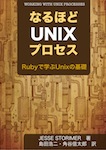 『なるほどUnixプロセス ― Rubyで学ぶUnixの基礎』
 SCRUM BOOT CAMP THE BOOK(西村 直人/永瀬 美穂/吉羽 龍太郎)
「刊行によせて」を寄稿しました
 実践テスト駆動開発 テストに導かれてオブジェクト指向ソフトウェアを育てる(Steve Freeman/Nat Pryce/和智 右桂/高木 正弘)
 The RSpec Book (Professional Ruby Series)(David Chelimsky/Dave Astels/Zach Dennis/角谷 信太郎/豊田 祐司/株式会社クイープ)
 アジャイルサムライ−達人開発者への道−(Jonathan Rasmusson/西村 直人/角谷 信太郎/近藤 修平/角掛 拓未)
 アジャイルな見積りと計画づくり ~価値あるソフトウェアを育てる概念と技法~(Mike Cohn/マイク コーン/安井 力/角谷 信太郎)
 インターフェイス指向設計 ―アジャイル手法によるオブジェクト指向設計の実践(Ken Pugh/角谷 信太郎(監訳)/児島 修)
 アジャイルプラクティス 達人プログラマに学ぶ現場開発者の習慣(Venkat Subramaniam/Andy Hunt/木下 史彦/角谷 信太郎)
 JavaからRubyへ ―マネージャのための実践移行ガイド(Bruce A. Tate/角谷 信太郎)
Badges









ありがとうございます。syntaxのcssファイルを使うには、角谷さんのパッチが必要ですね(デフォルトではpreタグにclassがつかなくて悩みました)。
Syntaxライブラリは、対応言語が少ないので、HikiDocでの採用はちょっと後悔していたり。<br>それにサーバ側が重くなるのも嫌だし、JavaScriptによる<br>ttp://www.dreamprojections.com/syntaxhighlighter/Default.aspx<br>とかを使うのがいいんじゃないかなぁと思っています。対応言語も多いし。
ここを見てSyntaxをお試ししてみたんですが、ソースがきれいで読みやすくて使い方もシンプルでなかなかいいですね。